How to Upgrade Your Factory Stereo for Enhanced Bluetooth Streaming Quality
You can upgrade your factory stereo’s Bluetooth audio by adding a Bluetooth 5.0 receiver with aptX Low Latency, which cuts delay to under 40 ms and bypasses low-bitrate SBC. Plug it into your stereo’s auxiliary input for instant wireless streaming. For full enhancement, replace the head unit with a modern 7-inch double-DIN model like the Pioneer DMH-WT7600NEX, supporting 24-bit FLAC and Apple CarPlay. It delivers 4-volt preamp outputs and requires a wiring harness. Verify both your phone and receiver support the same codec-aptX or AAC-to avoid falling back to compressed SBC. Use shielded wiring and noise filters to reduce interference from alternator ripple. Fine-tune settings on your iPhone or Android by re-pairing and disabling audio offload. This setup preserves dynamic range and improves clarity. There’s more to optimizing each component for studio-grade sound in your vehicle.
Notable Insights
- Upgrade to a modern head unit with support for high-quality codecs like aptX or AAC for superior Bluetooth audio streaming.
- Use a Bluetooth receiver with aptX Low Latency and plug it into the factory stereo’s auxiliary input for improved wireless performance.
- Ensure both your playback device and receiver support the same advanced codec to avoid falling back to low-bitrate SBC.
- Reduce interference by using shielded, twisted-pair wiring and ferrite chokes to minimize EMI from vehicle electronics.
- Optimize settings by disabling Bluetooth A2DP hardware offload on Android or re-pairing on iPhone for more stable connections.
Fix Your Factory Stereo’s Poor Bluetooth Sound
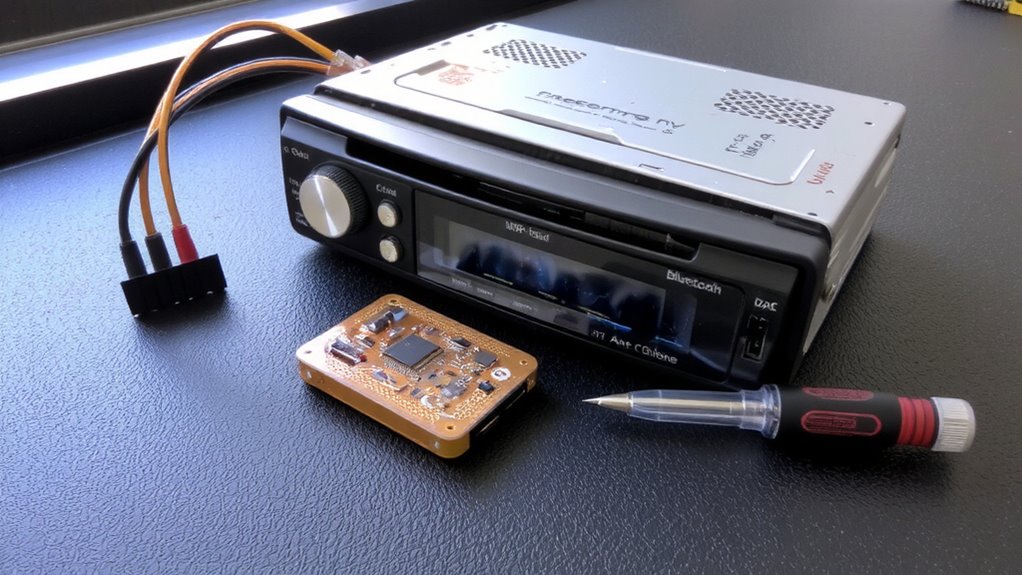
Why does your factory stereo’s Bluetooth audio sound muffled or tinny? Your car’s built-in receiver often lacks modern codecs like aptX or AAC, leading to compressed audio quality. Signal interference from onboard electronics-like GPS or Wi-Fi modules-degrades transmission clarity. These systems operate in the crowded 2.4 GHz band, increasing packet loss and distortion. Audio latency, commonly 100–200 milliseconds, causes lip-sync issues and disrupts listening immersion. Factory units use low-bitrate streaming protocols, typically capping at 328 kbps via SBC encoding. This results in flattened dynamics and missing high-frequency detail. Internal shielding is minimal, making the receiver susceptible to voltage fluctuations from the alternator. You’re not hearing the full range-bass lacks punch, and cymbals lose shimmer. Upgrading software won’t fix hardware limitations. The circuitry simply can’t process data fast enough. External interference and poor decoding compound latency and fidelity loss. Addressing these requires improved signal pathways and stronger processing-not just pairing convenience.
Pick a Bluetooth Receiver for Easy Upgrades
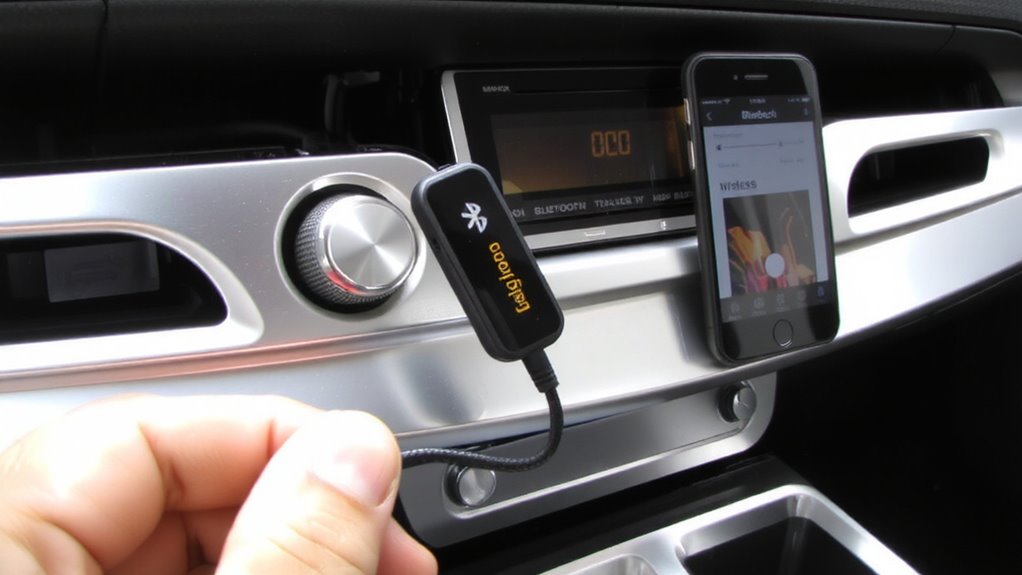
How do you upgrade your factory stereo without replacing the entire unit? A Bluetooth receiver lets you add wireless streaming quickly and affordably. These small devices plug into your stereo’s auxiliary input and create a Bluetooth signal for your smartphone. Look for models supporting Bluetooth 5.0 or higher for reliable Bluetooth pairing and reduced audio lag. Receivers with aptX Low Latency cut delay to under 40 milliseconds, syncing audio with video. Most draw power from the car’s USB port or cigarette lighter, consuming less than 100mA. Range typically extends up to 33 feet with minimal interference. Guarantee the receiver supports A2DP profile for stereo streaming and has a built-in noise filter. Input sensitivity averages -50 dBm, allowing stable connections even in noisy electrical environments. Choose one with echo cancellation for clearer calls.
Upgrade to a Better Head Unit for Full Control
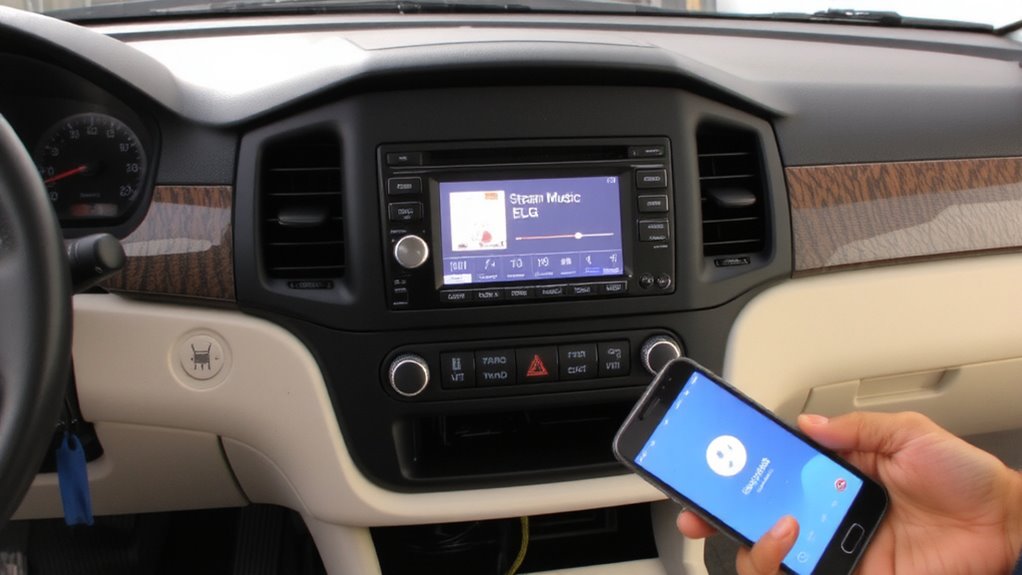
A modern head unit transforms your driving experience by integrating advanced audio and connectivity features directly into the dashboard. You gain full control over your audio sources, including high-resolution Bluetooth streaming, smartphone integration, and customizable equalizer settings. Head unit replacement is a straightforward upgrade path for most factory systems. Units like the Pioneer DMH-WT7600NEX support 24-bit DACs and FLAC file playback for richer sound. Stereo integration with Android Auto and Apple CarPlay enables seamless app access and voice control. Most aftermarket head units measure 7 inches diagonally and fit standard double-DIN dash openings. They provide 4 preamp outputs, allowing up to 4 volts of clean signal to external amplifiers. Installation typically requires a wiring harness adapter and faceplate. You’ll retain factory steering wheel controls with proper configuration. This upgrade future-proofs your system, ensuring compatibility with evolving wireless standards and media formats. For top performance and seamless integration, consider one of the best Android head units based on expert testing and user feedback.
Use aptX or AAC for Higher-Quality Audio
You can substantially improve your Bluetooth audio quality by choosing codecs like aptX or AAC over the standard SBC. These advanced codecs transmit more audio data with lower latency and reduced compression. aptX support delivers near-CD quality audio at 384 kbps with a 16-bit/44.1 kHz resolution, far surpassing SBC’s typical 328 kbps. It’s ideal if your devices are from major Android manufacturers, as they commonly include aptX support. AAC compatibility is essential for iPhone users-Apple uses AAC as its default codec. It achieves about 250 kbps but uses efficient encoding to retain clarity, especially in complex passages. For best results, guarantee both your head unit and playback device support the same codec. Mismatched codec support forces a fallback to SBC, limiting quality. Checking specs for aptX support or AAC compatibility isn’t optional-it’s necessary for high-fidelity wireless streaming.
Choose Low-Noise Components for Cleaner Sound
Noise in a car audio system isn’t just annoying-it degrades the fidelity of even the best Bluetooth streams. You need low-noise components to preserve signal integrity. Cheap capacitors and resistors introduce electrical noise, corrupting weak audio signals. High-quality, low-ESR capacitors reduce voltage ripple, maintaining clean power delivery. Look for components with tight tolerance ratings-1% resistors minimize signal distortion. Component shielding is essential. Shielded ICs and circuit boards block electromagnetic interference (EMI) from alternators, spark plugs, and digital systems. Unshielded wiring acts as an antenna, capturing noise that disrupts signal integrity. Use twisted-pair wiring for internal connections-it rejects common-mode noise. Ferrite chokes on power lines suppress high-frequency interference. Upgraded op-amps with low noise density (e.g., <5 nV/√Hz) improve clarity. These steps guarantee the audio signal stays pure from source to speaker. You’ll hear details previously masked by noise.
Adjust iPhone or Android Settings for Stability
Even if your hardware is optimized, poor Bluetooth performance can still ruin your listening experience. You must adjust your iPhone or Android settings to guarantee reliable audio pairing and consistent signal stability. On Android, disable Bluetooth A2DP hardware offload in Developer Options to reduce dropouts. Use Bluetooth codec settings to prioritize aptX HD or LDAC if your stereo supports them-these deliver 24-bit audio with lower latency. For iPhone, forget and re-pair the car device to reset connection errors. Disable automatic ear detection in Bluetooth settings to prevent unintended audio switching. Keep your phone’s software updated to maintain compatibility and security patches. Avoid running background apps that consume bandwidth, as they interfere with signal stability. Place your phone near the dashboard for best range-Bluetooth operates at 2.4 GHz with a typical line-of-sight range of 33 feet. Proper audio pairing ensures cleaner transmission and fewer interruptions.
Test and Tune Your Audio for Best Results
Why does your audio still sound uneven after pairing? Your factory stereo may lack proper audio calibration, causing imbalances in frequency response. Start by playing a test track with consistent bass, mids, and treble. Listen for distortion or weak ranges. Adjust the equalizer settings to compensate-reduce highs if they’re harsh, boost mids for vocal clarity. Most upgraded stereos offer ±12dB adjustment across 7–13 frequency bands. Use a real-time analyzer app to visualize output and align it with a flat response curve. Perform audio calibration in the driver’s seat, as sound varies by position. Re-test at different speeds and volumes to guarantee consistency. Fine-tune until music sounds balanced, not colored. Proper equalizer settings and audio calibration maximize clarity, depth, and listening accuracy. This process guarantees your Bluetooth stream performs as cleanly as a wired connection, with minimal sonic compromise. A high-quality double DIN stereo with Android Auto ensures superior audio processing for seamless Bluetooth streaming.
On a final note
You now control your sound quality. Bluetooth receivers like the iSimple 304 support aptX HD, delivering 24-bit audio streams for clearer highs and tighter bass. Factory systems lack digital signal processing; upgrading to a Pioneer DMH-WT7600NEX adds 13-band equalization and 9-volt preamp outputs. Use AAC on iOS or aptX on Android to cut latency to 32 ms. Shielded RCA cables reduce interference. Set sample rates to 48 kHz for ideal digital-to-analog conversion. Test with FLAC files to confirm fidelity.