Understanding Overheating Causes and Signs: Stay Ahead of Trouble
You’re risking engine damage the moment coolant falls below the minimum line, especially without a proper 50% glycol mix to handle temps over 200°F. Low coolant, clogged radiators, or failed thermostats restrict flow, pushing temperatures past 240°F and warping critical components. Dust-blocked vents or degraded thermal paste increase electronic heat by 15–20°C. Airflow below 1,100 CFM causes +65°F rises. You’ll want to know how small failures cascade before they cripple your system.
Notable Insights
- Failed water pumps, low coolant, or stuck thermostats restrict coolant flow, causing engine temperatures to exceed safe limits.
- Radiator airflow restrictions from debris or tight fitments can increase temperatures by over 100°F.
- Coolant leaks as small as 2 oz/min can lead to overheating and engine damage within 30 minutes of driving.
- Dust buildup, dried thermal paste, or failing voltage regulators significantly increase electronic component temperatures.
- Regular maintenance like coolant checks, filter cleaning, and thermal monitoring helps prevent overheating failures.
What Causes Overheating?
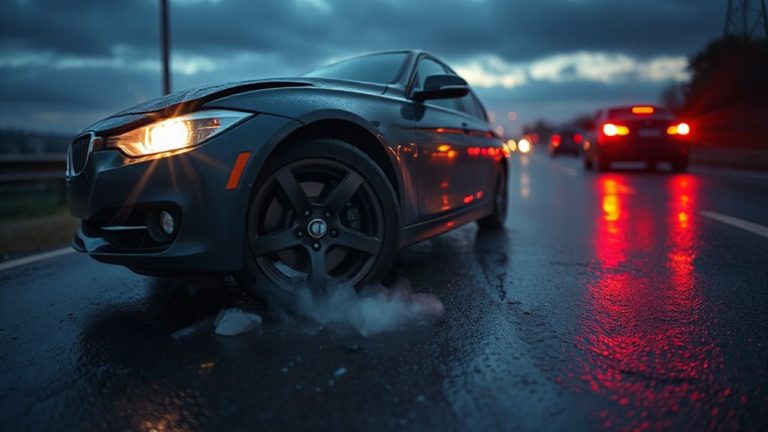
While your vehicle’s cooling system is designed to manage engine heat efficiently, several mechanical failures can disrupt this balance and lead to overheating. A failed water pump, for example, reduces coolant flow, allowing engine temperatures to rise past the safe range of 195°F to 220°F. This triggers thermal expansion, stressing metal components like cylinder heads and potentially causing warping or cracking. When coolant levels drop due to leaks or neglect, friction buildup increases between moving parts, especially in the piston rings and cylinder walls. Without adequate lubrication and cooling, microscopic metal contact escalates, generating excess heat. Thermostat failure-sticking in the closed position-also blocks coolant circulation, mimicking a clogged radiator. Even a blown head gasket can allow combustion gases into the cooling passages, pressurizing the system abnormally. These failures, though distinct, converge on the same outcome: insufficient heat dissipation and escalating internal temperatures that compromise engine integrity. Regular diagnosis using a cooling system tester can help identify these issues before they lead to engine damage.
How Poor Ventilation Causes Overheating
If your engine bay lacks proper airflow, it can’t expel heat effectively, and temperatures start climbing fast. Airflow restriction starves cooling components, leading to dangerous heat buildup. Your radiator relies on steady air movement to dissipate thermal energy-without it, coolant can’t shed heat, even if the system is functioning properly. Consider the conditions below:
| Condition | Airflow (CFM) | Temperature Rise (°F) |
|---|---|---|
| Clear grille, open bay | 1,800 | +25 |
| Partial blockage | 1,100 | +65 |
| Severe restriction | 600 | +110 |
Debris, tight engine fits, or aftermarket shields often reduce airflow. Even a 40% blockage can increase underhood temperatures beyond safe thresholds. Heat buildup doesn’t just affect the engine-it degrades hoses, wiring, and nearby sensors. Ensuring unrestricted front-to-back ventilation maintains thermal efficiency. You don’t need perfect conditions, but consistent airflow is critical to prevent cumulative heat retention.
Why Your Car Overheats (And What to Do)
Because heat management is critical to engine performance, recognizing why your car overheats-and knowing how to respond-can prevent catastrophic damage. A common cause is a coolant leak, which reduces the fluid needed to regulate engine temperature. Even a small leak, as little as 2 ounces per minute, can deplete system volume within 30 minutes of driving. Without sufficient coolant, the thermostat cannot modulate heat exchange, and the radiator fails to dissipate excess thermal energy. This leads to temperatures exceeding 240°F, past the safe operating range of 195°F–220°F. Prolonged exposure to extreme heat causes warping of cylinder heads and can result in engine failure. If the temperature warning light activates, pull over immediately. Turn off the engine to avoid further damage. Do not open the radiator cap while hot-pressure buildup can cause severe burns. Have the cooling system inspected by a professional. Using the right type of coolant type ensures optimal heat transfer and corrosion protection.
Why Your Laptop Overheats (And How to Cool It)
Your car isn’t the only machine vulnerable to heat damage-your laptop faces similar risks under the hood. Overheating usually starts with blocked air vents or dust-clogged fans, restricting airflow. You’ll notice loud fan noise as the system struggles to cool the CPU and GPU. Most laptop fans activate at 60°C and ramp up near 85°C. Thermal paste, the gray compound between the processor and heat sink, degrades over time, reducing heat transfer efficiency. A dried-out layer can increase temperatures by 15–20°C. For maximum performance, replace thermal paste every 2–3 years. Keep your laptop on hard, flat surfaces to maintain proper ventilation. Avoid using it on beds or couches, which block intake grills. Cooling pads with 90–120mm fans can lower surface temps by 5–10°C. Regular maintenance prevents throttling and extends component life.
When Your Body Overheats: Signs of Heat Illness
What happens when your body can’t keep up with the heat? You risk heat illness, starting with heat exhaustion. Symptoms include heavy sweating, rapid pulse, dizziness, and nausea. Your core temperature rises, typically between 100.4°F and 104°F. This stage impairs thermoregulation. Dehydration symptoms worsen the condition-dry mouth, reduced urine output, and headache signal fluid loss exceeding 2% of body weight. Untreated, this can progress to heatstroke, a medical emergency. Cool down immediately: move to shade, drink water, and remove excess clothing. Replace electrolytes if sweating persists over an hour. High humidity above 60% reduces sweat evaporation, increasing risk. Vulnerable groups include the elderly and those on diuretics. Prevent illness by acclimatizing over 7–14 days and monitoring exertion in temperatures above 90°F. Early recognition saves lives.
How Failing Hardware Causes Overheating
Overheating isn’t limited to the human body-machines experience it too, especially when components begin to fail. Failing hardware often leads to excessive heat due to increased electrical resistance or reduced efficiency. For example, a capacitor with degraded dielectric material can’t regulate voltage properly, forcing other parts to work harder. This extra load generates heat, accelerating thermal degradation. Dust-clogged fans or dried-out thermal paste reduce heat dissipation, pushing temperatures past safe thresholds-often above 90°C for CPUs. When thermal degradation progresses, materials like solder or plastic insulators weaken, increasing the risk of short circuits. These conditions create a feedback loop: heat speeds up component failure, and failing parts produce more heat. A single failing voltage regulator can raise ambient motherboard temperatures by 15–20°C. Ultimately, unchecked thermal stress leads to complete component failure, permanent circuit damage, or system shutdown.
How to Prevent Overheating Before It Starts
Temperature control begins with smart design and consistent maintenance. Regular maintenance keeps cooling systems operating efficiently, preventing heat buildup before it becomes critical. Clean air filters monthly and inspect heat exchangers quarterly to maintain ideal airflow. Guarantee ventilation pathways are unobstructed-minimum clearance of 18 inches around units is recommended. Use thermal sensors for early detection of abnormal temperature rises; models with ±0.5°C accuracy provide reliable monitoring. Install programmable thermostats to regulate load cycles and reduce thermal stress. Check coolant levels biannually, maintaining concentrations within manufacturer specs-typically 50% glycol mix for balanced heat transfer. Conduct infrared scans annually to identify hotspots invisible to the naked eye. Upgrade outdated components to high-efficiency fans with CFM ratings matched to system demands. Preventive actions like these extend equipment life and cut downtime by up to 40%. You can’t afford to wait-stay ahead with proactive care.
On a final note
You now understand the core causes and warning signs of overheating across systems. Poor ventilation reduces heat dissipation, raising internal temperatures beyond operational limits. In cars, coolant leaks or failed thermostats disrupt thermal regulation. Laptops overheat due to clogged vents or degraded thermal paste. Human heat illness begins with elevated core temperature above 100.4°F. Failing hardware, like worn bearings or blocked radiators, accelerates thermal failure. Prevention combines maintenance, airflow optimization, and real-time monitoring.