How to Tune Front and Rear Speakers for Cohesive Sound Field
You must calibrate your front and rear speakers to align timing, volume, and frequency response. Position front speakers at ear level, 30 degrees inward, forming an equilateral triangle with your seat. Place rear speakers at 135 degrees, 2–3 feet above ear level, using bipole or dipole types. Match all speaker levels to 75 dB with a calibrated SPL meter using C-weighting. Set crossovers to 80 Hz for seamless bass handoff. Time-align all speakers within 1.5 feet; use test tones and real content to verify phase coherence, imaging accuracy, and tonal balance across channels-adjust in 0.5 dB steps for precision tuning. Next steps reveal how to diagnose and correct common acoustic mismatches.
Notable Insights
- Position front and rear speakers at precise angles and equal distances to maintain timing and phase coherence.
- Calibrate all speakers to 75 dB using a calibrated SPL meter with pink noise for level matching.
- Set crossover frequencies to 80 Hz for front and rear speakers to ensure smooth subwoofer integration.
- Use time alignment via AV receiver test tones to synchronize sound arrival from all speakers.
- Verify tonal consistency with test tones and real content, adjusting levels in 0.5 dB increments.
How Front and Rear Speakers Create Balanced Sound
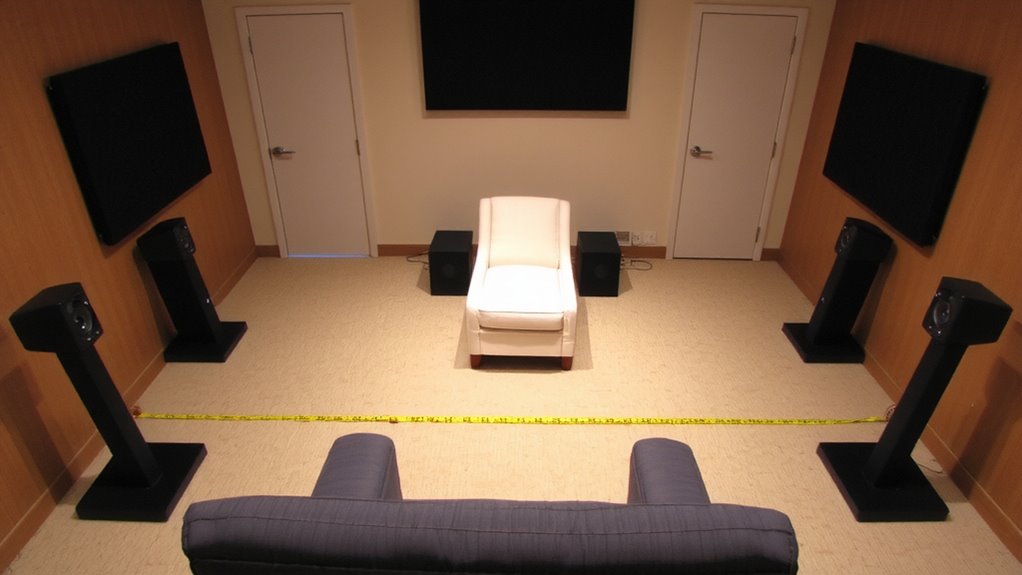
When properly configured, front and rear speakers work together to deliver a seamless sound grinding, guaranteeing audio feels natural and evenly distributed throughout the listening area. You achieve this through precise speaker calibration, which aligns timing, volume, and frequency response across all channels. Sound staging depends on accurate phase coherence and matched driver dispersion patterns. Front speakers handle primary audio imaging, anchoring dialogue and lead instruments at center stage. Rear speakers add depth and ambience, reflecting soundwaves to enhance spatial realism. For best results, set crossover frequencies to 80 Hz and time-align rear drivers using AV receiver test tones. Use a sound pressure level (SPL) meter to calibrate each speaker at 75 dB from the primary listening position. Proper calibration guarantees uniform coverage and minimizes hotspots. You’re not just connecting wires-you’re engineering an acoustically balanced environment where every seat delivers concert-like fidelity.
Position Front and Rear Speakers for Immersive Coverage
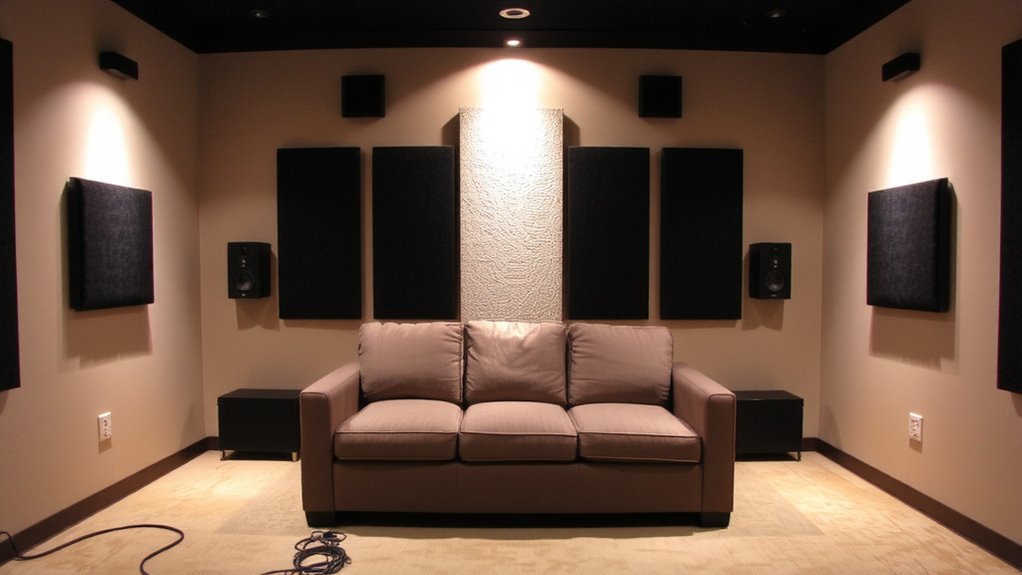
You’ve calibrated your speakers for sonic consistency-now it’s time to optimize their placement for immersive coverage. Proper surround placement guarantees seamless audio imaging and precise ambient effects. Position front speakers at ear level, forming an equilateral triangle with your primary listening position. This geometry maximizes stereo coherence and dialogue clarity. Place rear speakers slightly behind you, 135 degrees from the center channel, mounted 2 to 3 feet above ear level. This angle supports accurate surround placement, enabling sound to flow naturally around the room. Use dipole or bipole speakers for diffuse rear output, enhancing ambient effects like rain or crowd noise without pinpointable sources. Maintain equal distance between all speakers and the listener to preserve timing alignment. Avoid corners and reflective surfaces that distort dispersion. Correct physical layout establishes a stable soundfield, vital for immersive, cinema-grade playback.
Align Speaker Angles and Distances
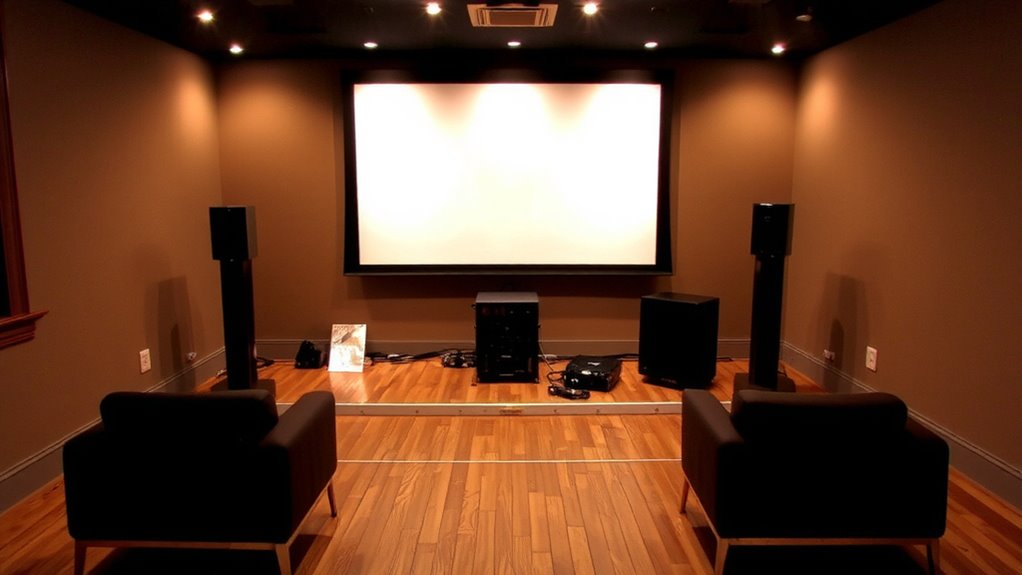
Proper alignment of speaker angles and distances guarantees coherent sound staging and lifelike audio reproduction. You must maintain speaker symmetry to guarantee balanced sound delivery across the listening area. Position front speakers at a 30-degree angle relative to the primary seat, forming an equilateral triangle with the listener at the apex. Rear speakers should sit slightly behind and angled at 120 degrees for accurate surround imaging. Maintain equal distances from each speaker to the central listening position-differentials greater than 1.5 feet disrupt timing and focus. Use a digital tape measure for precision. Correct alignment supports effective sound calibration, allowing AV receiver auto-setup systems like Audyssey or YPAO to perform accurately. Misaligned speakers cause phase issues, muddy dialogue, and collapsed soundfields. You’ll achieve peak performance only when angles and distances are matched and symmetry is maintained.
Match Front and Rear Levels Using a SPL Meter
A sound system’s spatial accuracy depends as much on level balance as it does on placement. Use a calibrated SPL meter at the listening position, set to C-weighting and slow response. Play a pink noise signal from your AV receiver. Begin with the front left and right speakers; adjust their levels to read 75 dB. Then test the rear speakers individually, matching them to the same 75 dB reference. This guarantees phase coherence by minimizing timing errors caused by volume imbalance. Uneven levels lead to frequency masking, where louder channels dominate and obscure quieter ones. Keep the microphone static and repeat measurements three times for accuracy. Most modern receivers allow 0.5 dB increments-use them for fine control. Maintaining uniform output prevents auditory localization bias. Proper level matching creates a seamless soundstage. You’ll hear accurate panning and immersive imaging. This step is essential before adjusting crossovers.
Set Crossovers to Blend Frequency Ranges
While bass frequencies naturally spread omnidirectionally, higher frequencies are more directional, which is why setting crossovers correctly guarantees seamless shifts between speakers. Proper crossover calibration assures each speaker handles only the frequencies it reproduces best. You’ll minimize frequency overlap, which can cause muddy sound or weak spots in your audio field. Set front speakers to a high-pass filter around 80 Hz and rears to match, routing lower bass to the subwoofer.
| Speaker Position | Crossover Frequency |
|---|---|
| Front | 80 Hz |
| Rear | 80 Hz |
| Subwoofer | 80 Hz (low-pass) |
This alignment creates a balanced acoustic curve. Most AV receivers allow precise adjustment in 5–10 Hz increments, so use those for fine control. Accurate crossover settings improve clarity and imaging, making effects and music feel cohesive across the soundstage.
Fine-Tune With Test Tracks and Real Content
You’ve set your crossovers to direct the right frequencies to the right speakers, with fronts and rears high-passed at 80 Hz and the subwoofer handling everything below that. Now, use test tracks with sweeping tones to verify tone consistency across all channels. Play a 1 kHz sine wave and move between seats, ensuring no speaker stands out. Adjust individual channel levels in 0.5 dB increments until the soundfield feels uniform. Next, use dynamic music-like orchestral or live jazz-to evaluate dynamic range. Peaks should remain clean at reference volume (85 dB). Listen for compression or distortion, which indicate improper gain staging. Match rear output to front using real content, not just test tones. The goal is seamless sound motion during panning effects. Proper tuning preserves transient detail and prevents tonal shifts, creating a cohesive, lifelike audio experience.
Fix Common Imbalances: Volume, Delay, and Phasing
If your soundstage feels disjointed, it’s likely due to unchecked imbalances in volume, delay, or phase-each capable of disrupting the coherence of your surround field. Start with volume: front and rear levels should align within ±1 dB using an SPL meter at the listening position. Misaligned levels blur sound staging, making effects seem directionless. Next, set speaker distance delays in your AVR; a 1.13 ms delay equals 1 foot of distance-this guarantees synchronized arrival times. Phase issues occur when drivers work against each other; verify rear speakers are in phase with fronts (0° or 180° setting). Use a phase test tone and switch polarity until bass sounds fuller. Proper bass management directs low frequencies to the subwoofer via crossover settings (typically 80 Hz), preventing muddiness. Correct imbalances sharpens imaging and creates a seamless, immersive sound field.
On a final note
You’ve aligned your speakers for ideal coverage. Position front and rear units at equal distances from the listening position, typically 6–10 feet apart. Set crossover frequencies to 80 Hz for seamless bass shift. Use an SPL meter to match levels within ±1 dB. Angles should direct sound at ear level, creating a coherent sound field. Test with stereo and surround content to verify imaging and phase coherence. Small adjustments yield measurable improvements in spatial accuracy.