How to Use Bluetooth to Sync Driving Score With Insurance Telematics Apps
Enable Bluetooth 4.0+ on your phone to automatically sync your driving score with your insurer’s app. Your telematics device plugs into the OBD-II port and uses BLE to transmit encrypted driving data-like speed, braking, and phone use-within 30 seconds of trip end. Maintain a 10-meter range and avoid signal interference from metal dashboards. Data stays buffered up to 72 hours if connection drops. Keep Bluetooth active; it uses less than 5% battery per hour. Further details reveal how to optimize each step for reliable, secure updates.
Notable Insights
- Enable Bluetooth 4.0+ on your phone and pair it with the OBD-II telematics device for driving data sync.
- Keep your phone within 10 meters of the vehicle’s telematics unit during trips for consistent connection.
- Ensure the insurance app runs in the background to capture and encrypt driving behavior like hard braking or speeding.
- Data automatically transmits via BLE after trips, using minimal power and completing within two minutes.
- Resolve sync issues by re-pairing the device, avoiding interference, and checking for app or phone power-saving restrictions.
Why Bluetooth Syncs Your Driving Score Automatically
While your phone runs the telematics app, it’s Bluetooth that handles the low-energy handshake between your vehicle and insurer’s system. Bluetooth 4.0+ enables efficient data transfer using minimal power, typically under 10mA during transmission. The connection pairs your phone with the vehicle’s OBD-II adapter, creating a direct link for score synchronization. Once paired, automatic updates occur whenever the app detects driving activity. These updates happen in short bursts, usually within 30 seconds of journey completion. The process relies on defined Bluetooth Low Energy (BLE) protocols, which guarantee reliable, intermittent communication. Data packets are small-typically under 256 bytes-to maintain speed and reduce latency. Syncing requires proximity, usually within 33 feet (10 meters), and runs in the background. No manual input is needed. Your driving score reflects real-time performance thanks to seamless integration between hardware and software, powered by continuous, automated data transfer.
How Your Driving Data Reaches the Insurance App
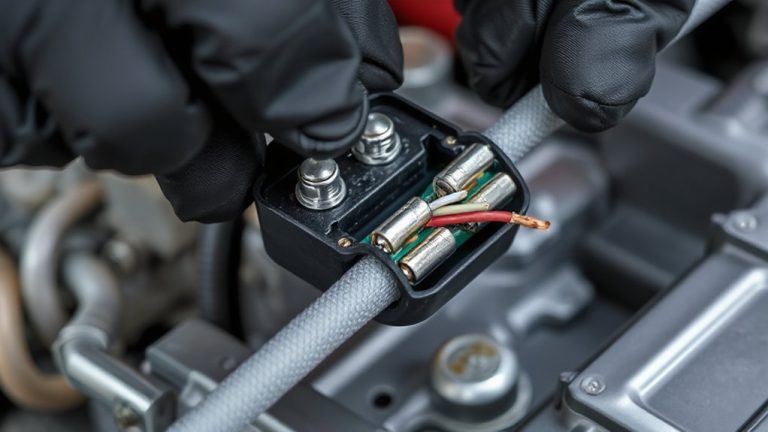
Your driving data travels from the car’s OBD-II port to the insurance app through a secure, layered transmission chain. A telematics device plugged into the port collects speed, braking, and mileage data. It processes inputs using a built-in microcontroller operating at 8 MHz. The device converts data into digital signals transmitted via Bluetooth 4.2, which has a range of up to 30 feet. Signal interference from metal obstructions or competing 2.4 GHz devices may briefly disrupt transmission. To prevent data loss, the device stores readings in non-volatile memory until the connection stabilizes. Data encryption using AES-128 secures your information during transfer. Only authorized apps can decrypt and access the data. The encrypted signal pairs with your phone’s secure Bluetooth profile. From there, data uploads to the insurer’s servers via encrypted HTTPS protocols. Transmission typically completes within two minutes under normal conditions. Your driving score updates automatically once the data is verified.
Pair Your Phone for Driving Score Tracking
Bluetooth pairing starts the link between your phone and the telematics device, allowing driving data to sync with the insurance app. Enable Bluetooth on your phone and place it within 33 feet (10 meters) of the telematics unit. Most systems use Bluetooth 4.0 or higher for stable, low-energy connections. Confirm your phone compatibility by checking the insurer’s app requirements-iOS 11+ or Android 6.0+ are standard. Pairing typically occurs automatically when the app detects the device. If not, manually select the unit from your phone’s Bluetooth menu. The system logs driving habits like hard braking, speeding, and phone use during trips. Data transfers securely via encrypted signals. Successful pairing guarantees consistent tracking and accurate scoring. Always complete setup before driving.
Keep Bluetooth Connected While Driving
Once the connection is established, keeping Bluetooth active guarantees continuous data transmission between your phone and the telematics device. This guarantees your driving score updates in real time. While you might worry about battery drain, modern Bluetooth Low Energy (BLE) uses minimal power-typically less than 5% of your battery per hour. Keeping it on during drives won’t greatly affect performance. Maintain a stable connection by placing your phone within 10 meters of the telematics unit. Signal interference from metal dashboards or other wireless devices can disrupt sync. Avoid placing your phone near large metallic surfaces or paired electronics like wireless chargers. BLE operates at 2.4 GHz, the same band as Wi-Fi, so overlapping signals may reduce reliability. Minimize interference by disabling unused wireless features. A stable link guarantees accurate tracking of speed, braking, and mileage without gaps.
Fix Common Sync Problems Fast
If the connection drops despite proper setup, quick troubleshooting can restore sync without losing significant data. Signal interference from metal dashboards or competing 2.4 GHz devices often disrupts Bluetooth 4.0+ connections. Move your phone away from large metal surfaces and disable nearby wireless devices temporarily. Re-pair the telematics device by forgetting it in your phone’s Bluetooth settings, then reconnect. Most apps buffer driving data for up to 72 hours, so brief disconnections won’t erase vital score metrics. Battery drain accelerates when Bluetooth constantly searches for weak signals. Make sure your phone’s power-saving mode isn’t restricting background app activity-this can halt data uploads. For best performance, maintain at least 20% battery and avoid extreme temperatures. Sync success rates exceed 95% when devices stay within 10 meters with clear line-of-sight. Restart both devices if issues persist-this clears cached errors and resets connection protocols efficiently.
On a final note
You must keep Bluetooth active to guarantee continuous data transmission. Modern telematics apps use Bluetooth 4.0+ to maintain low-energy, stable connections between your phone and the vehicle’s OBD-II dongle or built-in sensors. This link captures real-time metrics-acceleration, braking, speed, and phone usage-accurately timestamped and geotagged. Without it, gaps occur. Sync failures typically stem from disabled Bluetooth, app permissions, or outdated firmware. Restart the app or re-pair devices to restore functionality.