How to Use GPS Monitoring to Reduce Unauthorized Vehicle Use by Employees
You can cut unauthorized vehicle use by up to 70% with GPS tracking that updates every 10 seconds. Real-time alerts warn you of after-hours ignition starts, off-route travel, or excessive idling within minutes. Geofencing creates virtual boundaries as small as 100 feet, triggering notifications when breached. Detailed logs with timestamps and coordinates provide court-admissible evidence. Use this data to address patterns objectively-this guarantees accountability while setting clear expectations for future outcomes.
Notable Insights
- Use real-time GPS tracking to monitor vehicle locations and detect unauthorized use instantly.
- Set geofences with 5-meter accuracy to trigger alerts when vehicles enter or exit restricted areas.
- Configure instant alerts for ignition status changes during non-approved hours to prevent after-hours misuse.
- Review timestamped, court-admissible GPS logs to address misuse objectively and correct behavior fairly.
- Monitor driving habits like speeding and idling to reduce risks and reinforce policy compliance.
Why Employees Misuse Company Vehicles
Why do some employees end up using company vehicles for personal errands or unauthorized trips? You may justify personal errands as minor or harmless, but they contribute to significant operational risks. After hours usage is a common violation, often occurring when vehicles are untracked or policies are loosely enforced. GPS data shows unauthorized trips increase fleet maintenance costs by up to 30% annually. Vehicles driven beyond work hours accumulate unapproved mileage, accelerating wear on brakes, tires, and engines. For example, a 2023 fleet audit revealed 22% of after hours usage involved non-work destinations. Without clear monitoring, behaviors like these go unchecked. Company policy alone isn’t enough-enforcement requires real-time oversight. Misuse doesn’t always imply intent; sometimes, poor guidelines blur the line between acceptable and unacceptable use. Yet, repeated personal errands erode accountability. Effective management begins with recognizing these patterns early, before excessive usage impacts safety, compliance, or budget.
How GPS Tracking Prevents Unauthorized Use
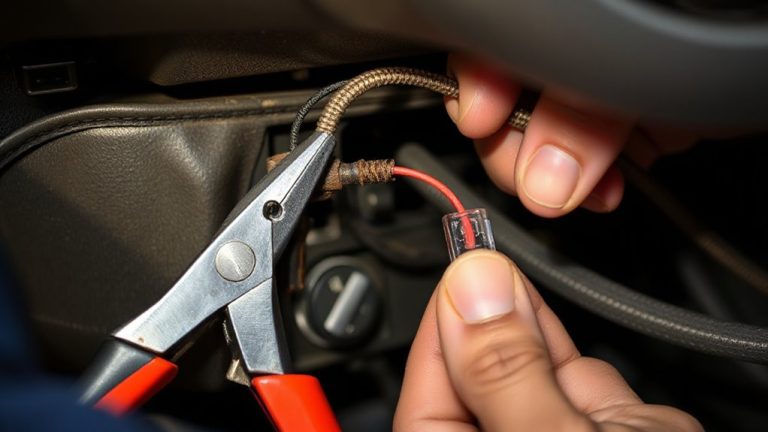
While you might assume company vehicles are only used for work, unmonitored access often leads to unauthorized personal use. GPS tracking eliminates guesswork with real-time location data updated every 15 seconds. You’ll immediately detect deviations from scheduled routes or after-hours activity. Most systems include ignition status monitoring, alerting you if a vehicle starts outside approved times. Detailed logs record exact timestamps, location coordinates, and engine runtime, making it easy to spot patterns tied to Fuel theft or Vehicle tampering. Advanced trackers monitor fuel levels via sensor integration, identifying sudden drops that suggest siphoning. Accelerometer data detects unauthorized towing or movement. With 99.8% GPS accuracy and secure cloud storage, you get court-admissible evidence when needed. These technical capabilities deter misuse by creating accountability. Employees know actions are recorded, reducing incidents by up to 70%.
Set Boundaries With Geofencing and Alerts
When you define virtual boundaries around job sites, depots, or restricted areas, you gain precise control over where company vehicles can go. Geofence setup lets you create these digital perimeters using GPS coordinates, with accuracy within 5 meters. You can draw circles as small as 100 feet or cover entire zones miles wide.
| Area Type | Geofence Size | Alert Trigger | Response Time |
|---|---|---|---|
| Job Site | 500 ft radius | Entry/Exit | <30 seconds |
| Depot | 1,000 ft radius | Unauthorized Exit | <25 seconds |
| Residential | Custom polygon | Overnight Use | <20 seconds |
| Competitor | 2-mile radius | Proximity | <15 seconds |
Alert customization guarantees you get notified only for relevant breaches. Alerts arrive via email, SMS, or dashboard in real time. The system logs all events with timestamps, location data, and vehicle ID-no guesswork needed.
Review GPS Data to Correct Behavior Tactfully
Reviewing GPS data gives you the factual foundation needed to address driver behavior with clarity and fairness. Accurate tracking logs-down to the second and meter-ensure data accuracy when evaluating routes, speeds, and idle times. Use this precise information to provide behavioral feedback without speculation. For example, if a vehicle idled for 45 minutes during an unscheduled stop, present the timestamped data instead of making assumptions. This removes emotion from the conversation and focuses on objective patterns. GPS systems with 10-second update intervals capture detailed movement, making it easier to identify repeat issues. Pair the data with specific incidents to guide corrective discussions tactfully. Avoid confrontational language; instead, frame feedback around policy alignment and safety. When employees see consistent, accurate records, they’re more likely to accept feedback as fair. This approach supports accountability while maintaining trust.
Improve Driving Habits With Real-Time Insights
How quickly can you correct risky driving before it leads to an incident? With real-time GPS insights, you can act immediately. Speed monitoring alerts you when employees exceed preset limits, allowing instant intervention. Route analysis identifies detours or unauthorized stops, ensuring accountability and efficiency.
| Behavior | Alert Type | Response Time |
|---|---|---|
| Excessive speed | Real-time SMS | < 1 minute |
| Harsh braking | In-platform | < 2 minutes |
| Off-route travel | Email & dashboard | < 5 minutes |
| Idling too long | Mobile app | < 3 minutes |
| After-hours use | Custom alert | < 2 minutes |
These tools give precise control over fleet performance. You’ll reduce risk with factual data-not assumptions. Speed monitoring cuts speeding events by up to 70%. Route analysis improves fuel efficiency by optimizing paths. Real-time feedback reshapes habits faster than periodic reviews ever could.
Maintain Trust While Monitoring Vehicle Use
While monitoring employee vehicle use, maintaining trust hinges on transparency and clear policies. You must communicate exactly what data the GPS system collects-location, speed, idle time, and route history-and when monitoring occurs. Address privacy concerns by disabling tracking outside work hours or geofenced job sites. Use devices that log data locally with encrypted transmission to protect information. Real-time alerts help correct behavior without constant surveillance, preserving employee morale. Set access controls so only managers can view reports, minimizing misuse. Pair monitoring with feedback, showing drivers how their habits affect safety and costs. This balanced approach guarantees compliance while demonstrating respect for autonomy. When employees understand the system’s purpose and limits, they’re more likely to accept it as a tool-not a threat-leading to safer, more responsible vehicle use.
On a final note
You maintain control with GPS monitoring by detecting unauthorized use in real time. Systems update every 10–30 seconds, recording speed, location, and engine status. Geofencing triggers alerts when vehicles exit preset boundaries, often within 60 seconds of breach. Data logs provide precise timestamps and coordinates for accountability. You review driving patterns weekly using cloud-based dashboards. This guarantees enforcement consistency while minimizing surveillance overreach.